 RemoteRelay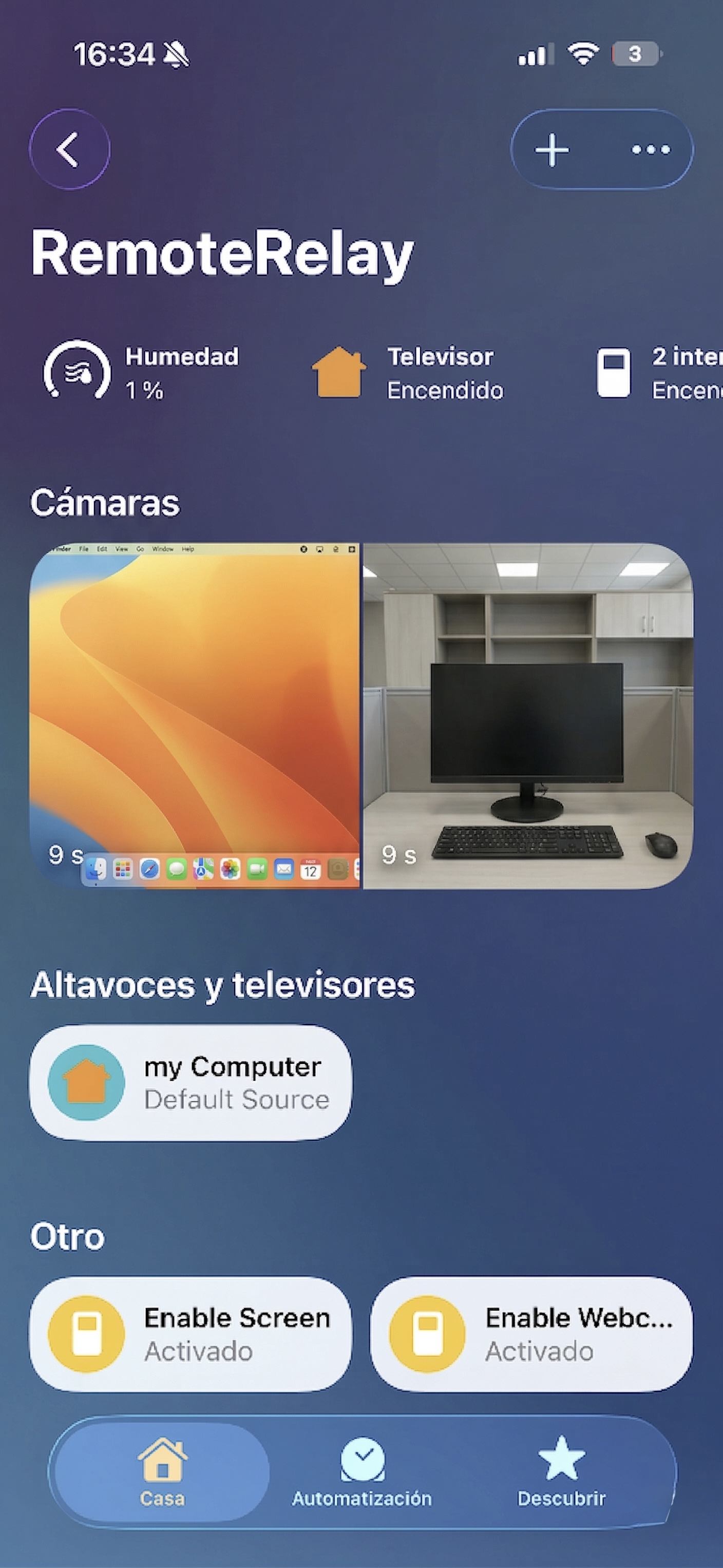
What you need
- RemoteRelay running on the computer with Apple Home enabled.
- An Apple device with the Home app and local connectivity for pairing.
- System permissions for the actions and captures you choose to enable.
Getting started
- Enable Apple Home in RemoteRelay and open its pairing information.
- Add the accessory in Home using the code or QR displayed by RemoteRelay.
- Assign a name and room. Test the remote and configure input sources to open your applications.
- To view webcam or screen sources, enable each one and review the computer's capture permissions.
Apple Home, HomeKit, Home and Siri: how they fit together
Apple Home is the ecosystem and Home is its app; HomeKit is the path used by this RemoteRelay integration. The computer appears as a TV-style accessory with configured sources and controls. You do not need Matter for this setup.
Configure an App source to launch a program or Terminal Command to run a script. Test Run in RemoteRelay first, then input selection in Home. Computer permissions, focus and session requirements still apply.
For voice, distinguish Home scenes and controls from Companion's Wake PC and Open remote actions in Shortcuts. The Siri guide explains each path and how to test it.
Compatibility and limits
An accessory hosted on the computer becomes unavailable when its agent stops. Apple Home does not by itself replace an external Wake-on-LAN sender. HomeKit and Matter are separate paths; compatibility does not imply official certification.
Test the action on your computer before including it in a routine. Available plans and features are detailed in the portal.
Common questions
Can I add a Windows PC to HomeKit?
Yes. RemoteRelay can publish its Apple Home accessory from a compatible computer. Pair in Home and test controls with the agent running.
Does Apple Home start a fully powered-off PC?
An accessory hosted on that PC stops responding when its agent stops. Wake needs a compatible external Wake-on-LAN sender; Companion's Wake PC shortcut is a separate path from an iPhone on its network.
Put your computer to work with your home
Choose your integration and verify one action. Then add the apps, sensors and cameras you need.