 RemoteRelay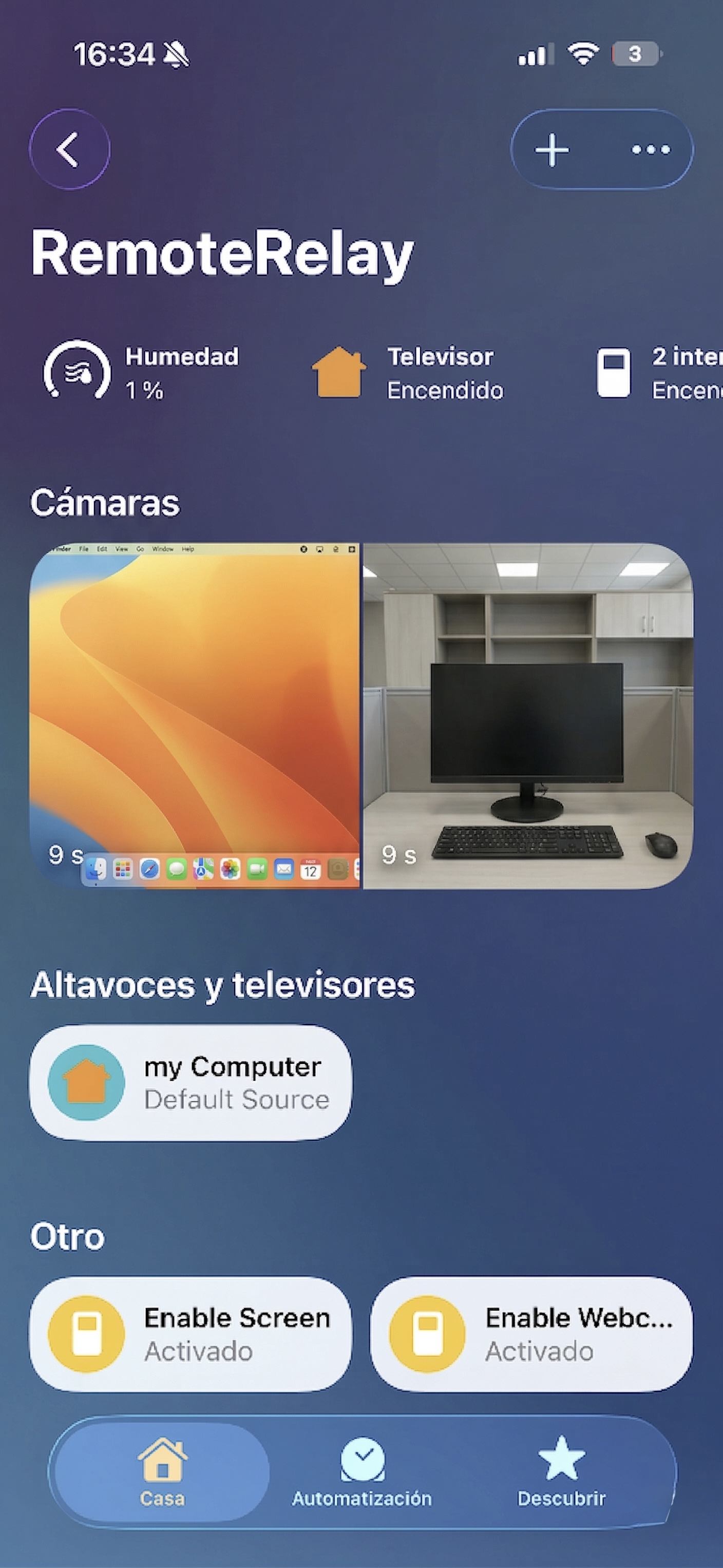
What you need
- A running agent and Apple Home configured in RemoteRelay.
- A selected webcam or screen with camera or screen-recording permissions.
- An Apple device with Home and connectivity for camera pairing and viewing.
Getting started
- Select a webcam or screen in RemoteRelay and verify the correct preview.
- Grant the permissions required by that source and enable capture.
- Enable its Apple Home publication and use the pairing information shown by the app.
- Open the named camera in Home and check the image, orientation and selected source.
- Test stopping capture and locking the computer to understand system behavior. Test access away from home separately.
Webcam for the room; screen for a task
The webcam shows the physical surroundings; the screen lets you visually review an app or task. Give sources distinct names so Home or voice opens the correct one.
Check what is visible before sharing the camera with household members. Disable capture in RemoteRelay to stop streaming. Live view does not replace a system with history, alerts and recording when those are your requirements.
Compatibility and limits
The computer must remain active. HomeKit Secure Video, continuous storage and person detection are not promised. Screen locks and session restrictions may limit capture. Remote access depends on your Apple Home configuration.
Test the action on your computer before including it in a routine. Available plans and features are detailed in the portal.
Common questions
Can a USB webcam become a HomeKit camera?
If RemoteRelay can capture that webcam on your system, configure its source and publish it in Apple Home. Test permissions, preview and Home access.
Does viewing the screen let me control the mouse in Home?
No. This feature publishes a camera image. Remote buttons are separate features and do not equal a full RDP mouse-and-keyboard session.
Put your computer to work with your home
Choose your integration and verify one action. Then add the apps, sensors and cameras you need.