 RemoteRelay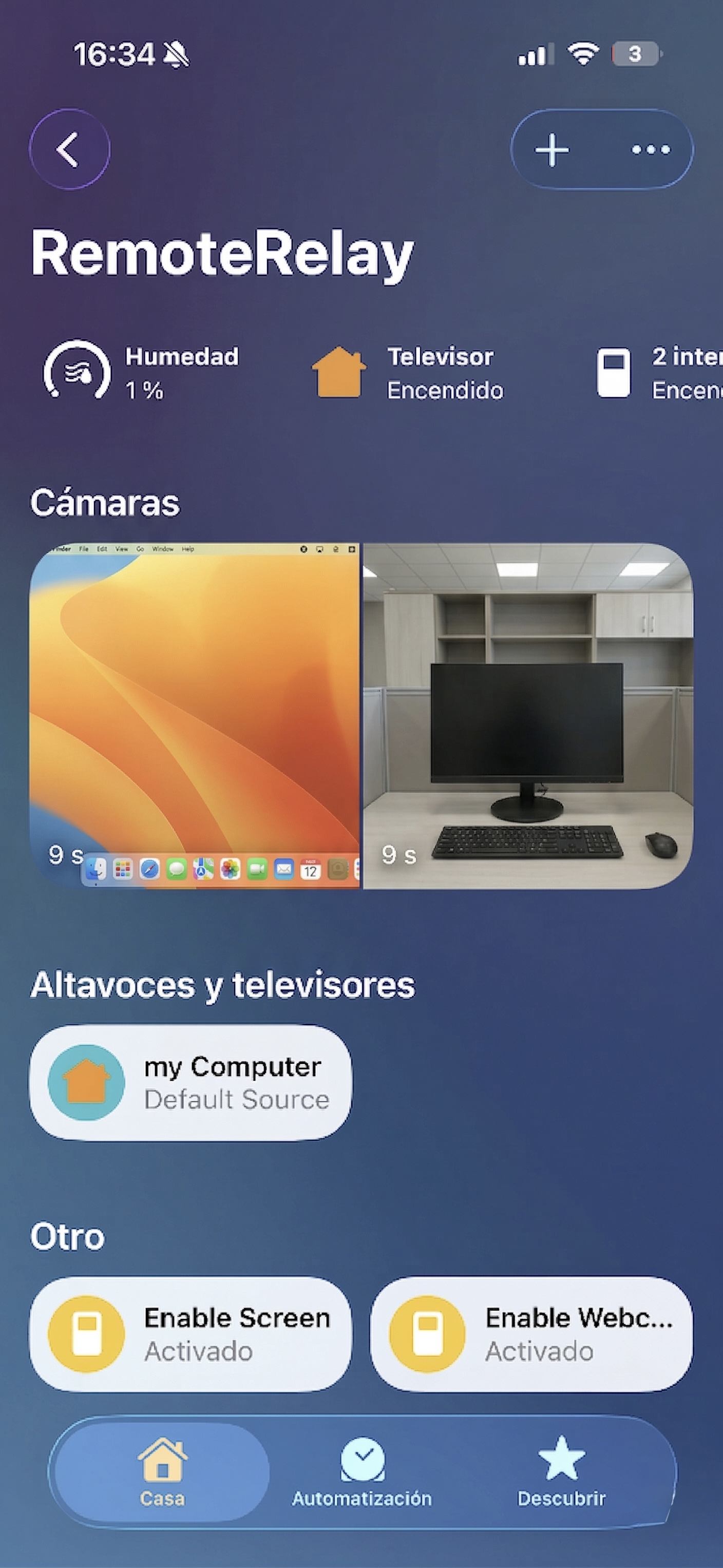
What you need
- A running computer with RemoteRelay and an available webcam.
- Camera permission and microphone permission if you use audio.
- A configured camera integration: Alexa with a compatible client, Apple Home or Home Assistant, and the required plan.
Getting started
- Select the correct webcam in RemoteRelay and enable capture.
- Check the local image and whether another application is using the camera.
- Add or update the accessory in your ecosystem and test its view or snapshot.
- Check how to disable capture and what happens when the computer sleeps before relying on the view.
Compatibility and limits
A live view does not imply continuous recording, clip storage or person detection. HomeKit Secure Video, where available in your configuration, has additional requirements; do not assume it from a camera appearing in Home. The computer must remain running.
Test the action on your computer before including it in a routine. Available plans and features are detailed in the portal.
Put your computer to work with your home
Choose your integration and verify one action. Then add the apps, sensors and cameras you need.