 RemoteRelay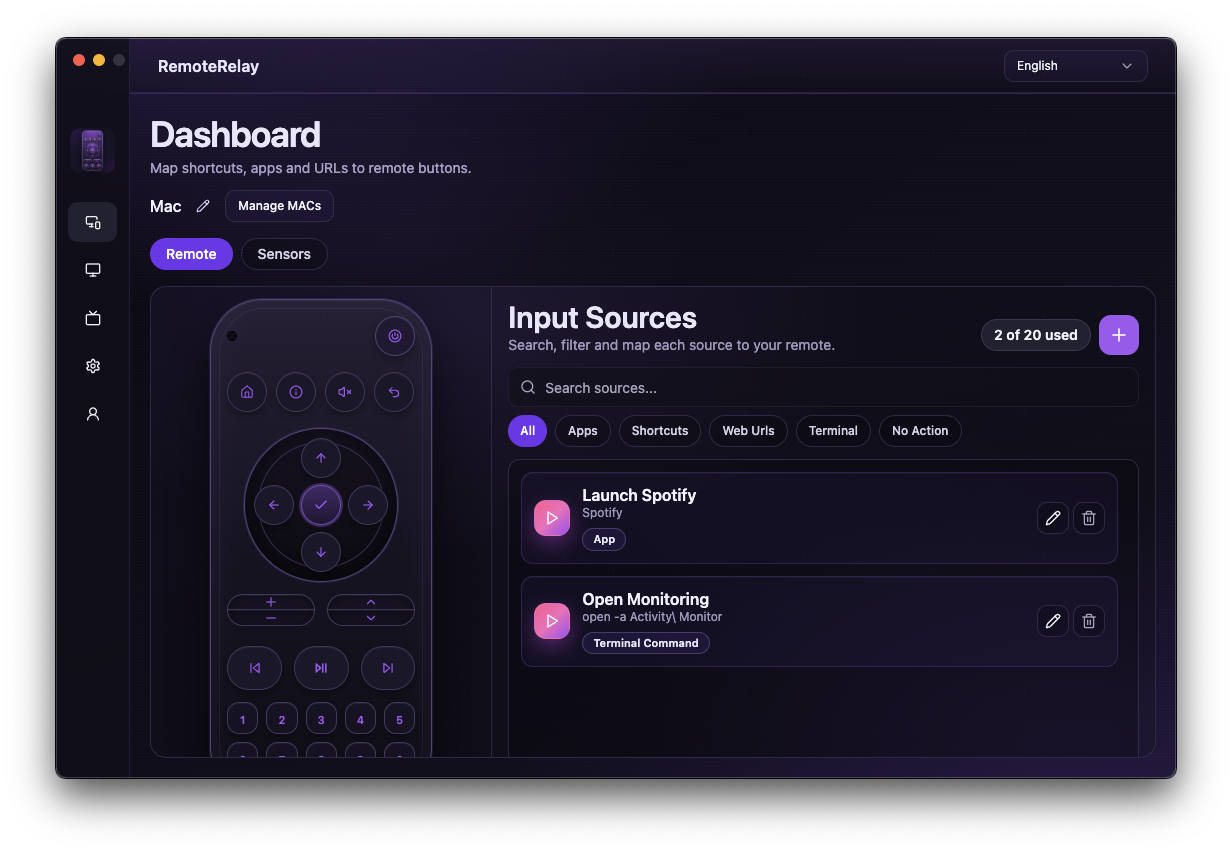
What you need
- An installed application that opens successfully on the computer.
- A running agent, compatible plan and a user session for graphical apps.
- Linked Alexa and a clearly named source.
Getting started
- Create a New Shortcut of type App in RemoteRelay and select its executable with Browse; on Mac choose the corresponding app.
- Name it, for example Steam, save and test Run. Do not copy a path from another PC: installation locations differ.
- Check that the source is active, refresh Alexa discovery and test selecting it as the computer's input.
- For voice or routines, use the input-selection controls Alexa offers. Define your own routine phrase after verifying the action.
- For Spotify or another player, test volume and playback separately with supported commands or shortcuts. Opening an app does not automatically select a song or playlist.
App, URL, shortcut or script: choose an action
Use App to launch a program and Web Url to open a browser page. Shortcut sends a key combination that may depend on focus. Terminal Command invokes a script with configured arguments.
For gaming mode, launch Steam from a source and coordinate lights in Alexa. For a media PC, open Plex or Kodi and test controls with the app in the foreground. Focus and permissions are part of setup.
Compatibility and limits
Launching does not install programs or sign into their accounts. Games, players and apps with dialogs may require interaction or a signed-in session. This mechanism is not a dedicated Spotify API and does not guarantee control of every game.
Test the action on your computer before including it in a routine. Available plans and features are detailed in the portal.
Common questions
Can Alexa open Windows programs?
Yes. Configure an App source with the installed program and test it in RemoteRelay, then use it as an input from Alexa. The program may need an active user session.
Can Alexa control Spotify on my PC?
Launch Spotify and configure playback or volume actions that work on your computer. Song search and playlist control through a dedicated Spotify integration are not promised.
Put your computer to work with your home
Choose your integration and verify one action. Then add the apps, sensors and cameras you need.